 Setonomy
Help
Exercises and 3D animations
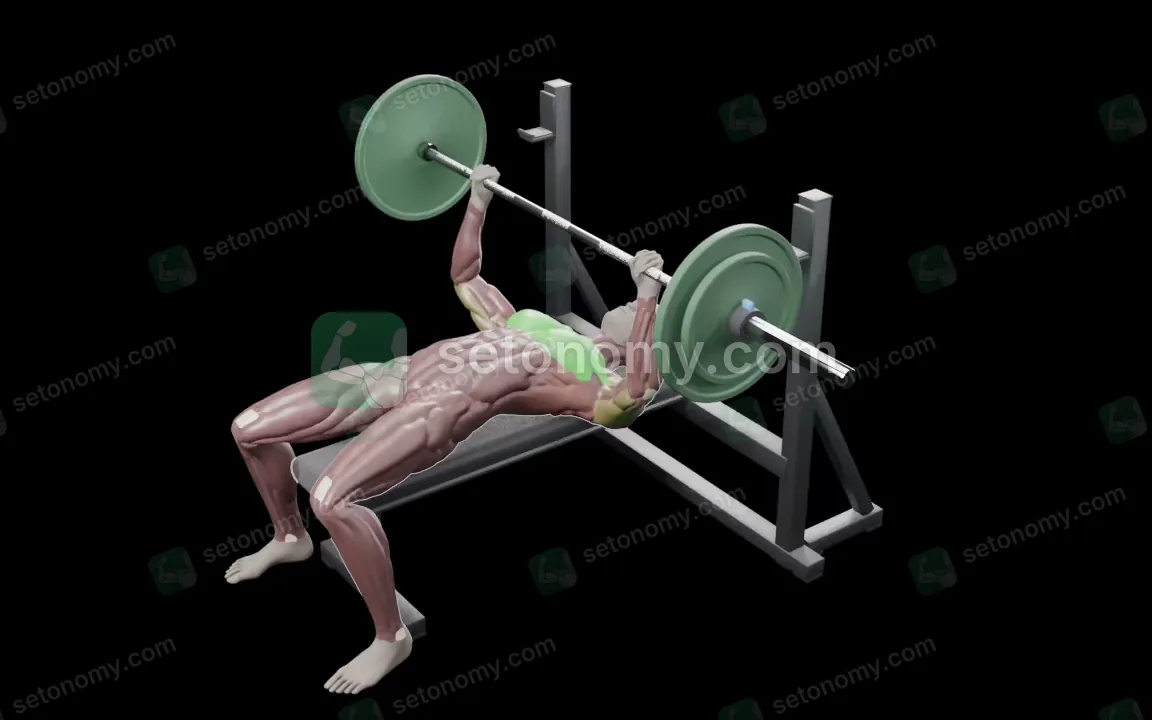
800+ exercises with instructions in English and German, 520+ of them as 3D animations, with target and assisting muscles. Plus custom exercises, favorites and suggestions for swapping.
Where to find it
- Settings
- Exercises
In the workout editor and during a workout, “Add exercise” opens the same library, with filters there.
What's in the library
800+ exercises, nearly all with step-by-step form instructions and notes, 520+ of them with a 3D animation. They range from strength and stretching to plyometrics, powerlifting, Olympic weightlifting, strongman and cardio.
Search and filters
Under Settings → Exercises, exercises are grouped by muscle group, collapsed, with a count for each. An exercise appears under each of its target groups, and your own are included. The search field, “Exercise or muscle group,” finds English and German names and muscle groups.
When you add an exercise, filters join in: by category, including “Custom,” and by equipment. The equipment starts from “My equipment”; “All equipment” clears it. Each group shows its sets this week.
Exercise form
An exercise's page shows “Target” and “Assisting,” the 3D animation on a silent loop, the step-by-step “Form” and “Notes.” With Reduce Motion on in iOS, it shows a still image instead. Without an animation, the page shows no image; in lists, a dumbbell stands in.
My equipment
Under Settings → “My equipment,” switch on what you have. “All equipment” is the default and restricts nothing; below, you see how many exercises that leaves.
Favorites and custom exercises
Tap the star (“Add to favorites”) on an exercise's page to make it a favorite, or swipe or long-press it when adding exercises. When adding, favorites come first in each group, and they come first when swapping. Under Settings → Exercises, the list keeps its order, with a star on favorites.
If an exercise is missing, create one in the editor with “Custom exercise”: with a name, reps or time, and muscle groups as “Primary” and “Secondary.” Custom exercises have no animation and no instructions.
Swapping exercises
In the editor, swap an exercise with the circular arrows or “Swap exercise”; during a workout, use “Replace exercise.” Setonomy suggests up to six exercises, first ones with the same movement, then ones for the same muscle group. “Easier” and “Harder” show only exercises that take less or more technique; with no matches, the option is grayed out. Anything outside your equipment is marked.
Premium
Free. The library, animations, instructions, filters, favorites, custom exercises and swapping are free. Premium only covers what's tied to a workout: custom rest per exercise and warm-up sets from your working weight (Training).
Frequently asked questions
How many exercises does Setonomy have?
800+, nearly all with instructions in English and German. Setonomy shows 520+ of them as 3D animations.
Does every exercise have an animation?
No, 520+ do. The others show their instructions, with a dumbbell in lists.
Can I create my own exercises?
Yes, with “Custom exercise” in the editor. They have no animation and no instructions, but they count toward the muscle map with their muscle groups.
How do I see only exercises for my equipment?
Set up “My equipment.” When you add an exercise, the filters then start from your equipment.
How do I swap an exercise?
With the circular arrows in the editor, or with “Replace exercise” during a workout. You get up to six suggestions.